QR voting survey
Anonymous and secure voting with QR codes
🎭 Context
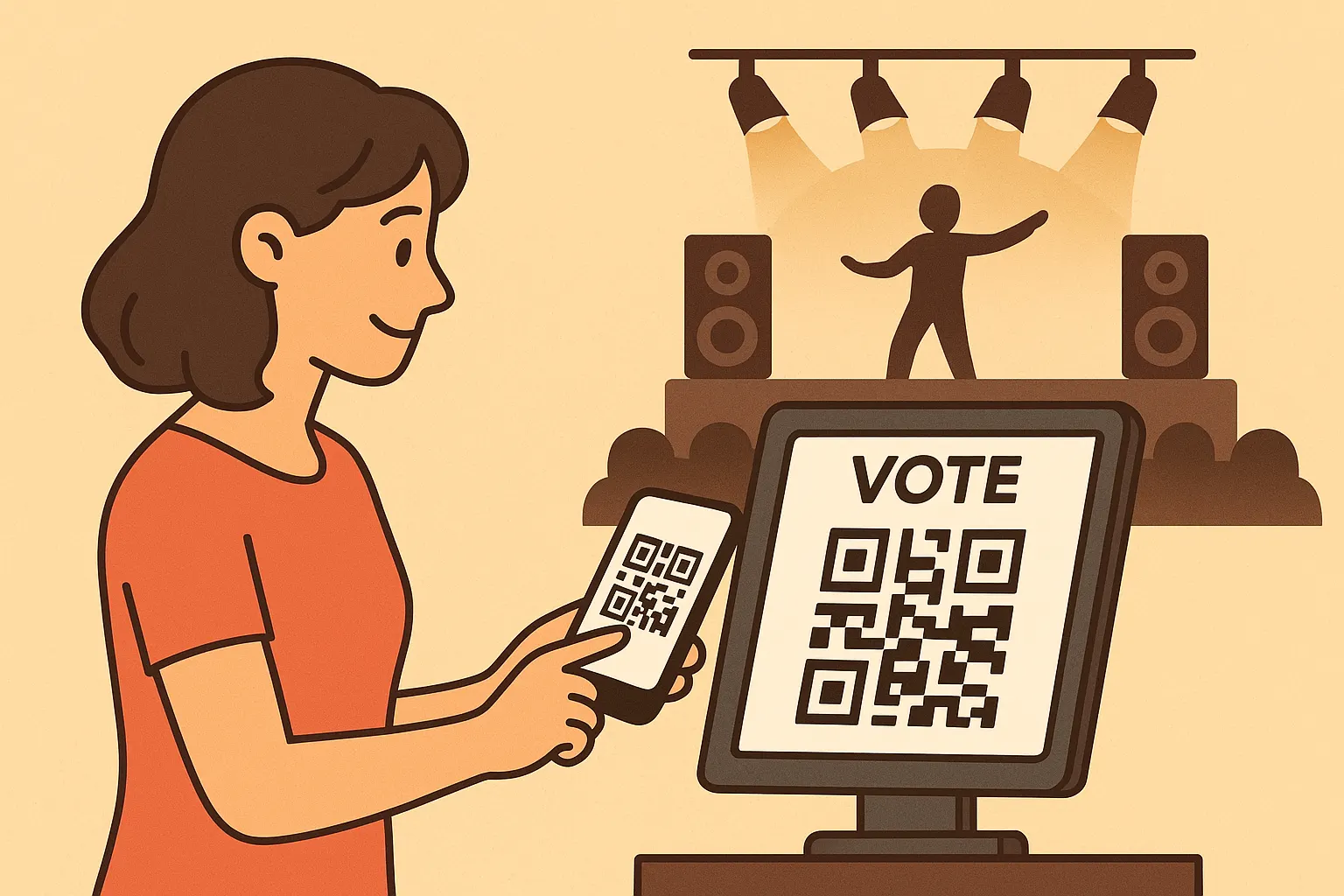
Imagine going to a 🎭 show, 🎬 movie, or 🎶 concert and wanting to share your thoughts to make it even better. With this QR-based app 📲, you can give your feedback instantly and anonymously — just scan a QR code with your phone and share your opinion!
And it doesn’t stop there 🚀: the system can also collect more detailed feedback, like rating each group on style, originality, energy, and more.
Demo
Explanation
🌟 High-Level Flow (Non-Technical)
- 👤 Anonymous access — Each participant gets a unique QR code that represents them anonymously; no personal information is stored.
- 📲 Scan & access — Scanning the QR opens a secure voting link, which verifies the participant and grants access.
- 📝 Cast a vote — The user selects their choice(s) and submits.
- ✅ Secure validation — Each vote is checked, stored anonymously, and linked to its unique QR code.
- 🚫 One vote per person — A QR can only be used once. Any duplicate attempt is automatically blocked.
- 📊 Results for admins — Only administrators can log in to view aggregated results in real time.
🔧 Technical Details (For Developers)
🔄 Application Flow
 🔍 Click to zoom
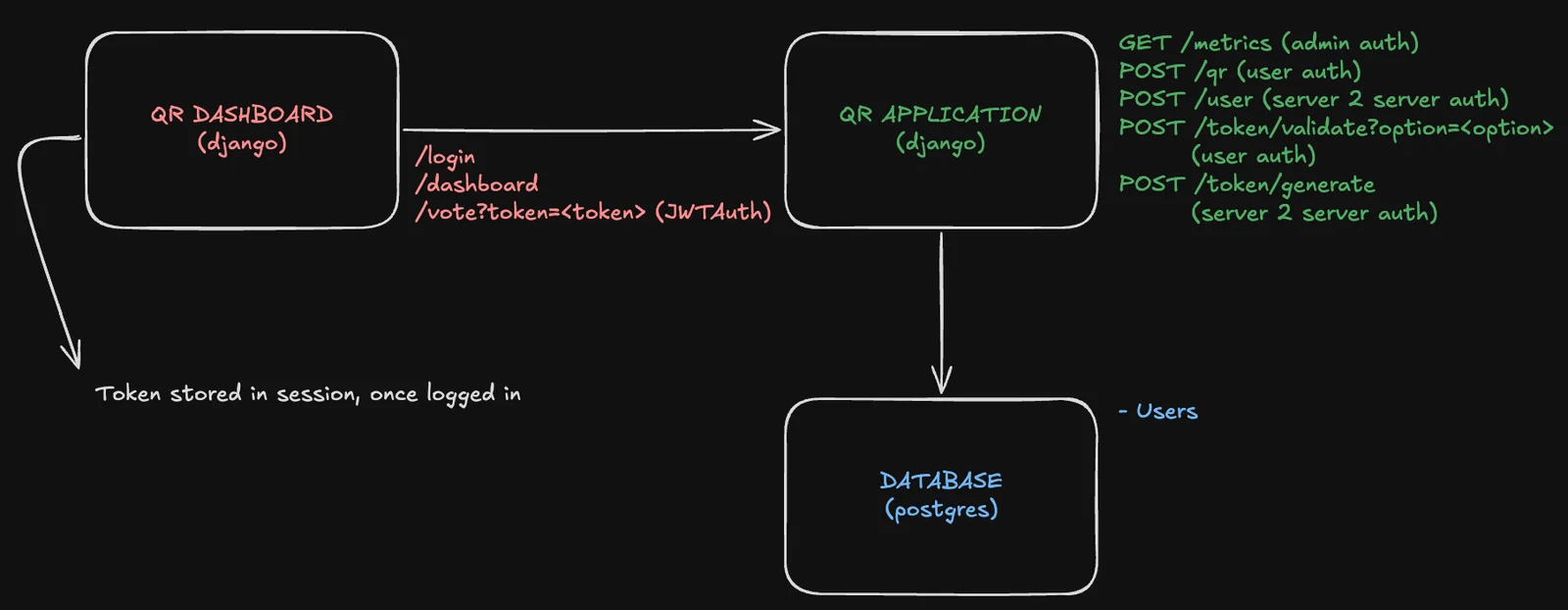
In the qr_application service, QR codes are linked to anonymous users (user_1, password, e.g.), with encrypted passwords stored in the database.
Setup endpoints
Two setup endpoints generate the QR codes before participants can vote:
POST /token/generateProvide username and password to validate against the database and generate a token signed with the
qr_applicationsecret.POST /qrCreate the QR code, authenticating with the token from step 2.a (User Auth).
Embed the token
The generated JWT is embedded in the QR code’s URL, which participants later scan.
Scan & access
Scanning a QR opens
/vote:<token>from the dashboard. The token is a JWT signed with a shared secret between Django microservices — the same token generated in step 2.Cast a vote
On the
votepage, the user selects an option and submits. Submission calls/token/validate/?option=<option>in theqr_applicationservice (User Auth).Validate & enforce one use
If valid, the vote is saved and
token_usedis set toTrue. In other case, the page returns a controlled error and no vote is saved. Any attempt to reuse a token is blocked (token_used = True) and a controlled error page is shown.Admin access
Admins log into
qr_dashboardwith Admin Auth to view aggregated voting graphs (via/metricsendpoint inqr_application). Typical flow:/login→/dashboard→/metrics. Tokens are stored in the session for ongoing auth and cleared on logout.
🔐 Authentication Types
🔑 JWT Auth
✅ Valid if token not expired and signed with shared secret.
📌 Purpose: General token verification between services.
🛡️ Admin Auth
✅ Token valid, user exists in DB, and is admin.
📌 Purpose: Grants administrators access to the dashboard and voting metrics.
🙋 User Auth
✅ Token valid, user exists in DB, and is not admin.
📌 Purpose: Used for participant actions (e.g., generating QR, submitting a vote).
🤝 Server-to-Server Auth
✅ Token valid and signed with shared secret.
📌 Purpose: Secures internal communication between Django microservices.
Technologies
🐍 Python Backend
- Django microservices.
📊 QR Dashboard
- Provides the voting survey UI.
- Displays aggregated voting results.
🔲 QR Application
- Handles authentication.
- Manages anonymous users.
- Interacts with the database.
📀 Database
- PostgreSQL.
- Stores anonymous user info.
- Stores voting results.
- Stores role definitions.
🔵 Render
- Deploys the Django microservices.
- Provides a managed PostgreSQL instance.
- Handles environment variables and secrets.
👾 GitHub
- Version control.
- Collaboration.
- Project tracking.